
Convert Photo to Passport Size Online – Free Passport Photo Converter
Turn a clear portrait into a passport photo in five steps. Pick your country, then crop, resize and check the photo against that country's official rules before you download it.
Written by Navnit Rai, Reviewed by Navnit Rai
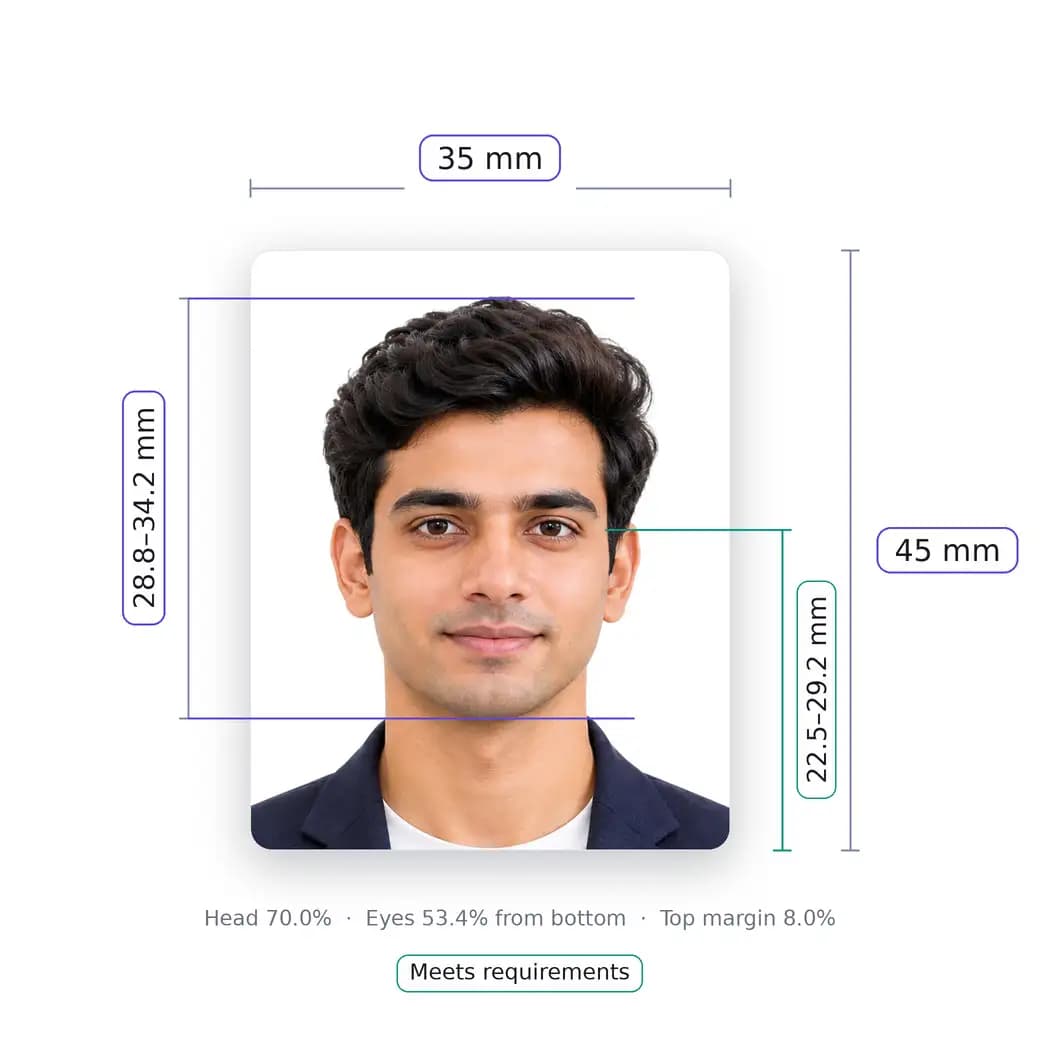
Convert Your Photo to Passport Size
Upload a clear portrait, choose your country and adjust the crop to that country's passport photo specification.
Passport photo sized to 600x600 px for United States
Tap to upload photo or take picture
Drag & drop from your device · JPEG, PNG, or WebP (up to 20 MB)
Quick Acceptance Tips:
How to convert a photo to passport size online
Getting your photo ready for a passport application doesn't have to be complicated. If you've already taken a clear photo, you can easily turn it into a passport-size picture without visiting a photo studio. Simply upload your photo, choose your country, and let an online passport photo converter crop and resize it to the required dimensions.
Keep in mind that every country has its own photo requirements. Some specify exact sizes in millimetres or inches, while others require particular pixel dimensions for digital applications. Choosing your country first helps ensure your photo matches the correct requirements.
This guide shows how to convert a picture to passport size, how to resize a photo without losing quality, and what the official rules say for the United States, the United Kingdom and India. Each figure comes from the official guidance named in the sources list, and each country section says which document it applies to.
How to convert a picture to passport size using a photo converter
Upload your photo, choose your country, then crop and align your face to the specification. A converter handles the shape and size. It cannot fix a poor original, so start with a clear, front-facing, evenly lit photo.
How to turn a regular photo into a passport photo
A regular photo becomes a passport photo only if it meets the rules before you crop it. It must be recent, in colour, taken facing the camera with a neutral expression, and free of shadows, filters and other people. A casual snapshot with a busy background usually cannot be converted into an acceptable photo, and the US Department of State says snapshots, magazine photos and low-quality phone photos are not acceptable for visa photos. Retake the picture if it fails these basics.
How to convert your photo to passport size for free
This page's converter is free to use for preparing your photo. If you are applying for a US visa, the Department of State also offers a free tool that crops a digital image to exactly 600 × 600 pixels. That tool crops only, it does not check quality, and a Department of State employee decides whether the photo is acceptable.
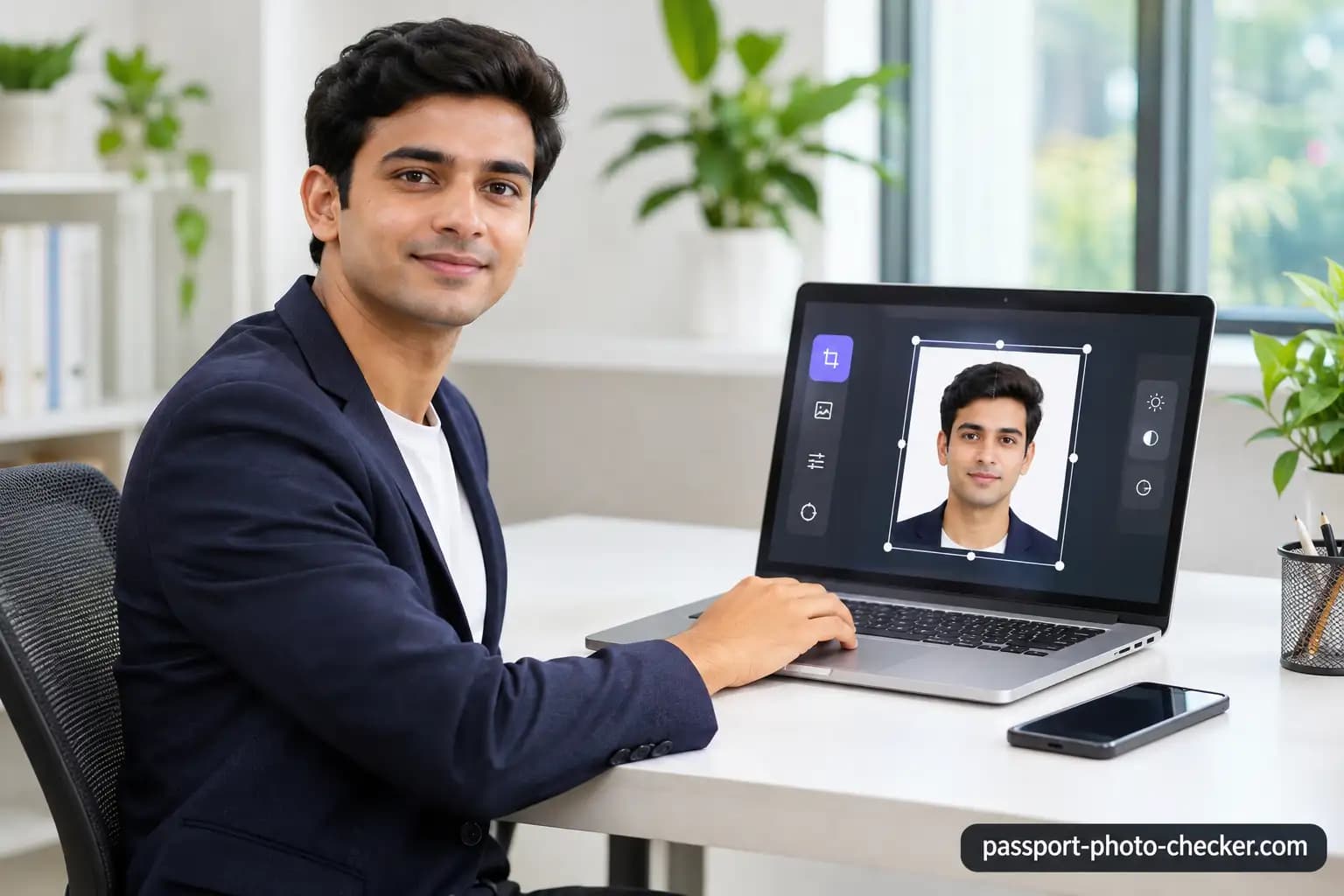
How to resize and crop a photo to passport size
How to resize a photo to passport size without losing quality
- Start from the original full-resolution photo. Do not use a screenshot or an image saved from social media.
- Crop to the required shape instead of stretching the picture, because stretching distorts your face.
- Do not enlarge a small image. The UK sets a minimum of 600 pixels wide and 750 pixels tall for a digital passport photo, and the US Department of State says passport photos should be high resolution and not blurry, grainy or pixelated.
- Keep the file within the limit the application states, for example 50 KB to 10 MB for a UK digital passport photo.
How to crop a picture to passport photo dimensions
Crop to the shape of the specification, centred on your head. If the application crops the photo for you, do not crop it first. The UK guidance says that if you use a photo taken on your own device, you should include your head, shoulders and upper body and not crop it, because it will be done for you.
How to adjust head position and face alignment
Face the camera directly with your head upright and centred, and show your whole head. The US Department of State asks you to face the camera without tilting your head, to be positioned several feet away with your head centred and fully visible, and to have a neutral expression, both eyes open and visible, and mouth closed.
How to resize an image to passport size in pixels
Printed sizes use millimetres or inches, and digital sizes use pixels. To change one into the other you multiply the size in inches by the pixels per inch. The State Department's 600 × 600 pixel digital image for the Diversity Visa entry matches a 2 × 2 inch photo at 300 pixels per inch, which is the resolution it asks for when you scan an existing photo. Use the pixel size your own application gives, because it varies by country.
| Country and document | Printed photo | Digital photo |
|---|---|---|
| United States, visa and Diversity Visa | 2 × 2 inches (51 × 51 mm) for immigrant visa and Diversity Visa interview photos | Square, 600 × 600 pixels for the Diversity Visa online entry, JPEG, 240 kB or smaller |
| United States, passport | See the "Size and position" section of the State Department passport photo page | See the "Resolution and quality" section of the same page |
| United Kingdom, passport | 45 mm high by 35 mm wide, two identical photos | At least 600 pixels wide and 750 pixels tall, and 50 KB to 10 MB |
| India, passport | Not stated as a printed size in the guidance used here | 630 × 810 pixels in colour, with the 7:9 shape of a 35 × 45 mm photo |
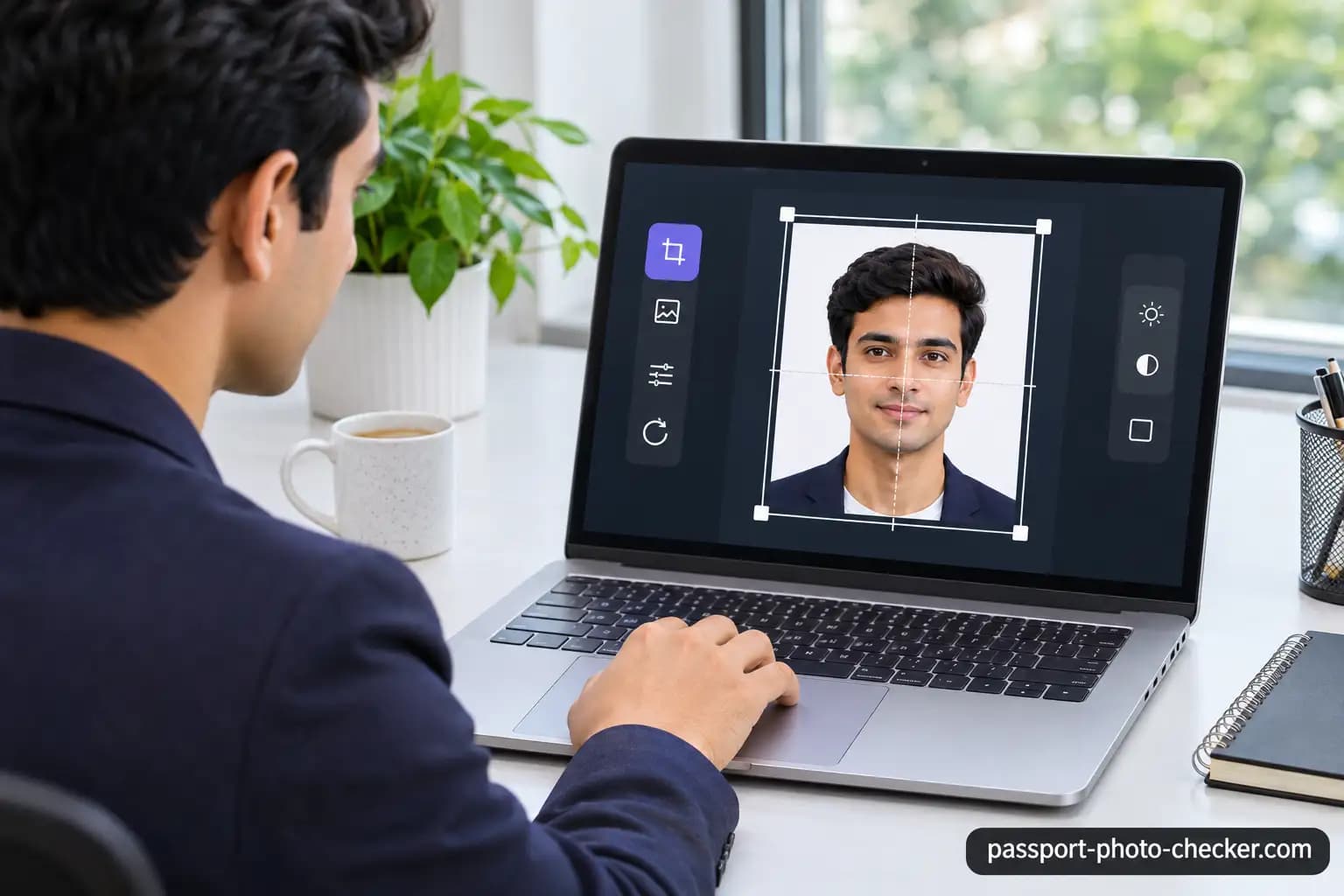
How to convert a photo to 2x2 passport size
How to convert a photo to 2x2 inches online
A 2 × 2 inch photo is a square of 51 × 51 mm. To convert a photo to 2x2, crop it to a square with equal height and width, then resize it to the pixel size your application states. For the Diversity Visa online entry the US Department of State asks for a JPEG of 600 × 600 pixels, 240 kB or smaller, in a square aspect ratio.
How to use a free 2x2 photo converter
Upload your photo, choose the United States, crop to a square with your head centred, then check the head size and background before you download. The State Department's visa head-size rule is 1 inch to 1 3/8 inches (22 mm to 35 mm), or 50% to 69% of the image's total height from the bottom of the chin to the top of the head.
How to convert a picture to 2x2 passport size
If you need a printed 2 × 2 inch photo, the State Department says to print on photo-quality paper for immigrant visa and Diversity Visa interviews. If you scan an existing photo for the Diversity Visa entry, it must be 2 × 2 inches and scanned at 300 pixels per inch. The Department also says photos copied or scanned from driver's licences or other official documents are not acceptable for visas.
How to resize a photo to US passport size
The 2 × 2 inch and 600 × 600 pixel figures above come from the State Department's visa photo page. For a US passport, read the "Size and position" and "Resolution and quality" sections of the State Department's passport photo page, because the passport page is the rule for passports. The passport page says to submit one colour photo taken in the last 6 months, to use a plain white or off-white background free of shadows, textures or objects, and to submit the original, unedited photo without filters or digital changes.
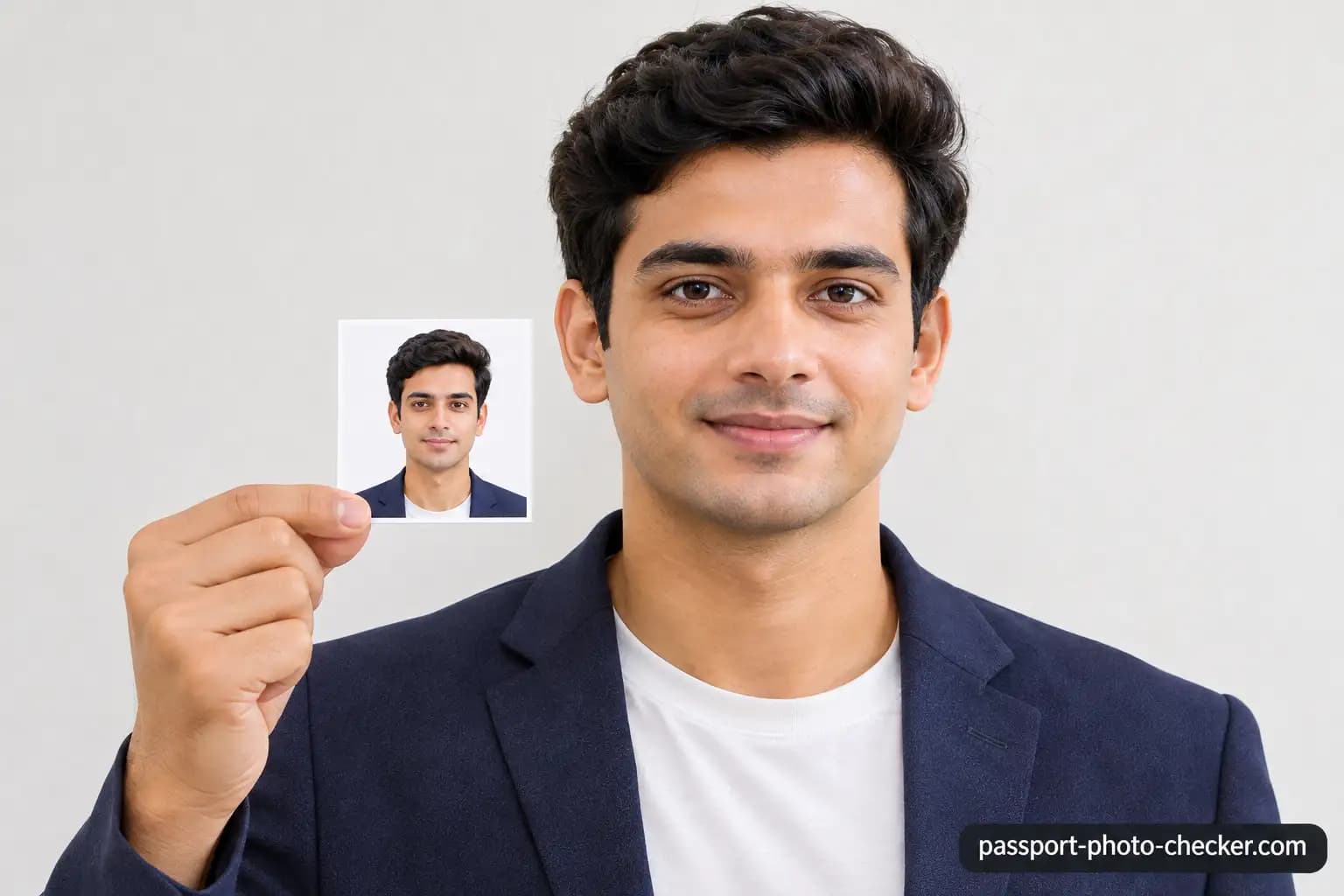
Passport photo size, dimensions and background requirements
What is the standard passport size photo dimension?
There is no single worldwide size. The United Kingdom uses 45 mm high by 35 mm wide for printed passport photos, which it describes as the standard size used in photo booths in the UK. The US visa and Diversity Visa photos use 2 × 2 inches. India's digital photo is 630 × 810 pixels. Always use the size your own country sets.
What are the passport photo size requirements in pixels?
| Requirement | United Kingdom (passport) | India (passport) | United States |
|---|---|---|---|
| Pixels | At least 600 wide and 750 tall | 630 × 810 | 600 × 600 for the Diversity Visa entry. For passports, see the State Department passport page |
| File size | 50 KB to 10 MB | Maximum 250 KB per the Embassy of India in Berne | Diversity Visa entry: 240 kB or smaller |
| Colour | In colour | In colour | In colour |
| Background | Plain light-coloured for digital. Plain cream or light grey for printed | White | Plain white or off-white |
| Head or face size | Printed: crown to chin 29 mm to 34 mm | Face takes up 80–85% of the photo | Visa: 50–69% of image height. Passport: see the State Department passport page |
| Recency | Taken in the last month | Not stated in the guidance used here | Passport: last 6 months. Visa: last 6 months |
| Editing | Unaltered by computer software | Unaltered by computer software | Original and unedited, with no filters or digital changes |
How to convert a photo to passport size with a white background
The rule depends on the country. India asks for a white background, the US asks for plain white or off-white, and the UK asks for a plain light-coloured background for digital photos and plain cream or light grey for printed photos. The most reliable way to get the right background is to retake the photo in front of a plain wall in good light. See the background section below for what the official guidance says about editing.
How to maintain the correct face size and head positioning
Keep your head centred and your whole head in view, from the top of your hair to your chin. Face size is measured differently by each country. The UK printed rule is a crown-to-chin height of 29 mm to 34 mm, India's rule is a face that takes up 80–85% of the photograph, and the US visa rule is 50–69% of the image height. Use the measure that belongs to your country.
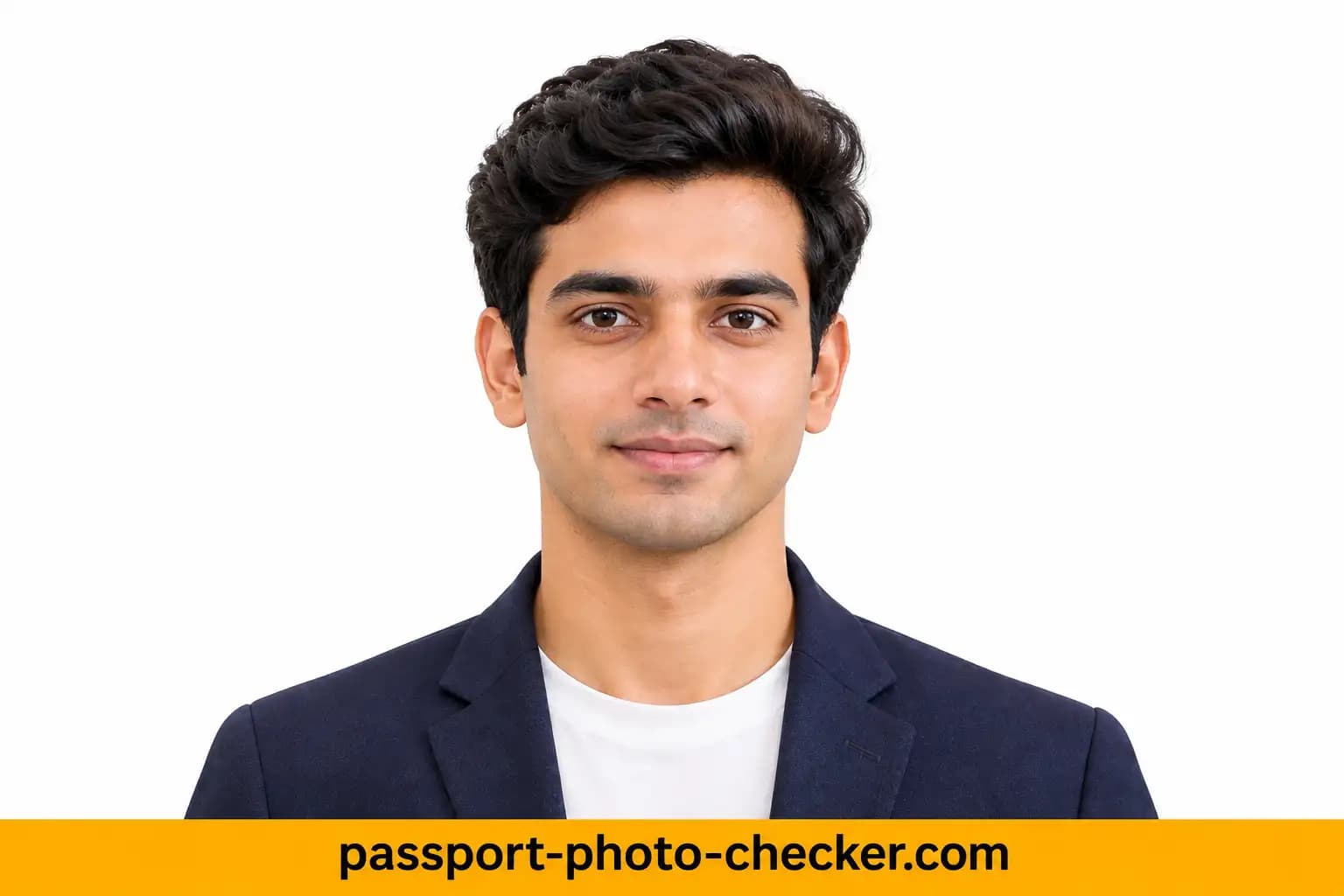
How to convert a photo to passport size for free
How to use a free passport photo converter online
Open the converter, upload your portrait, choose your country, adjust the crop, check the requirements and download. Do not skip the check step, because a converter cannot copy an authority's own validator.
How to convert a picture to passport size without downloading software
You can do it in a web browser on your phone or computer with an online converter, with no software to install. You only need a clear portrait and a connection.
How to make a passport size photo from your mobile phone
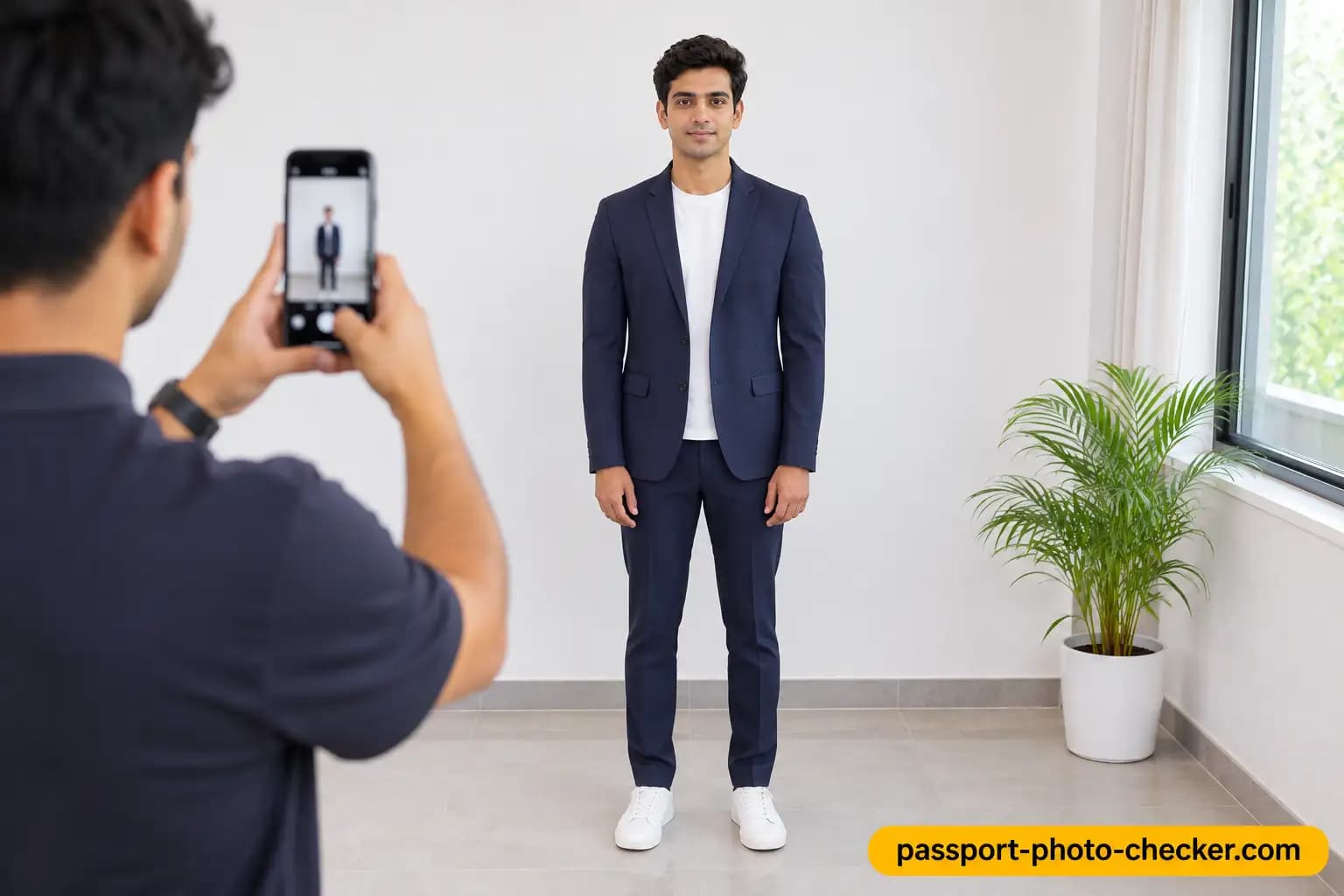
A phone can take a suitable photo if someone else takes it. The UK guidance says you will need someone to help you take a photo on your own device, and it says photos from a booth or shop are more likely to be approved than a photo taken on your own device. The US passport page lists a friend or family member as an option for taking the photo. Use steady hands, good light and a plain background, and shoot from a few feet away at eye level.
How to download and save a converted passport photo
Save the photo in the file type the application asks for and check the size limit before uploading. For the UK, a digital photo must be 50 KB to 10 MB. For the India portal, the Embassy of India in Berne gives a maximum of 250 KB. Print a photo only if your application asks for a printed one. The UK asks for two identical printed photos on plain white photographic paper with no border when you apply with a paper form, and they must not be a cut-down version of a larger picture.
Common passport photo conversion problems and solutions
Why does my converted passport photo look blurry?
Usually the original was small, soft or enlarged too far. The US Department of State says a passport photo is rejected if it is too blurry, grainy, pixelated or printed on the wrong paper. Start again from the original full-resolution photo, keep the camera steady, and avoid enlarging a small image.
How to fix incorrect passport photo dimensions
Check the country and document you chose, because the size changes between a US visa, a UK passport and an Indian passport. Crop to the right shape first, then resize. Do not stretch the picture to make it fit, and do not use a cut-down version of a larger printed picture where the UK asks for a printed photo.
How to remove or change the background of a passport photo
Check the official rules before you edit the background. The UK says digital and printed photos must be unaltered by computer software. The US Department of State says to submit the original, unedited photo without filters or digital changes. The Embassy of India in Berne says that an applicant who cannot visit a studio can use an editing tool to make the background uniform, preferably white, while the Passport Seva guidance says photos should be unaltered by computer software. When in doubt, retake the photo in front of a plain wall.
How to avoid cropping the head or shoulders incorrectly
Leave space around your head and shoulders in the original photo so the crop does not cut off your hair or chin. A close-up of the full head and upper shoulders is what the UK printed rules ask for, and the UK digital guidance asks you to include your head, shoulders and upper body without cropping if you upload a photo from your own device.
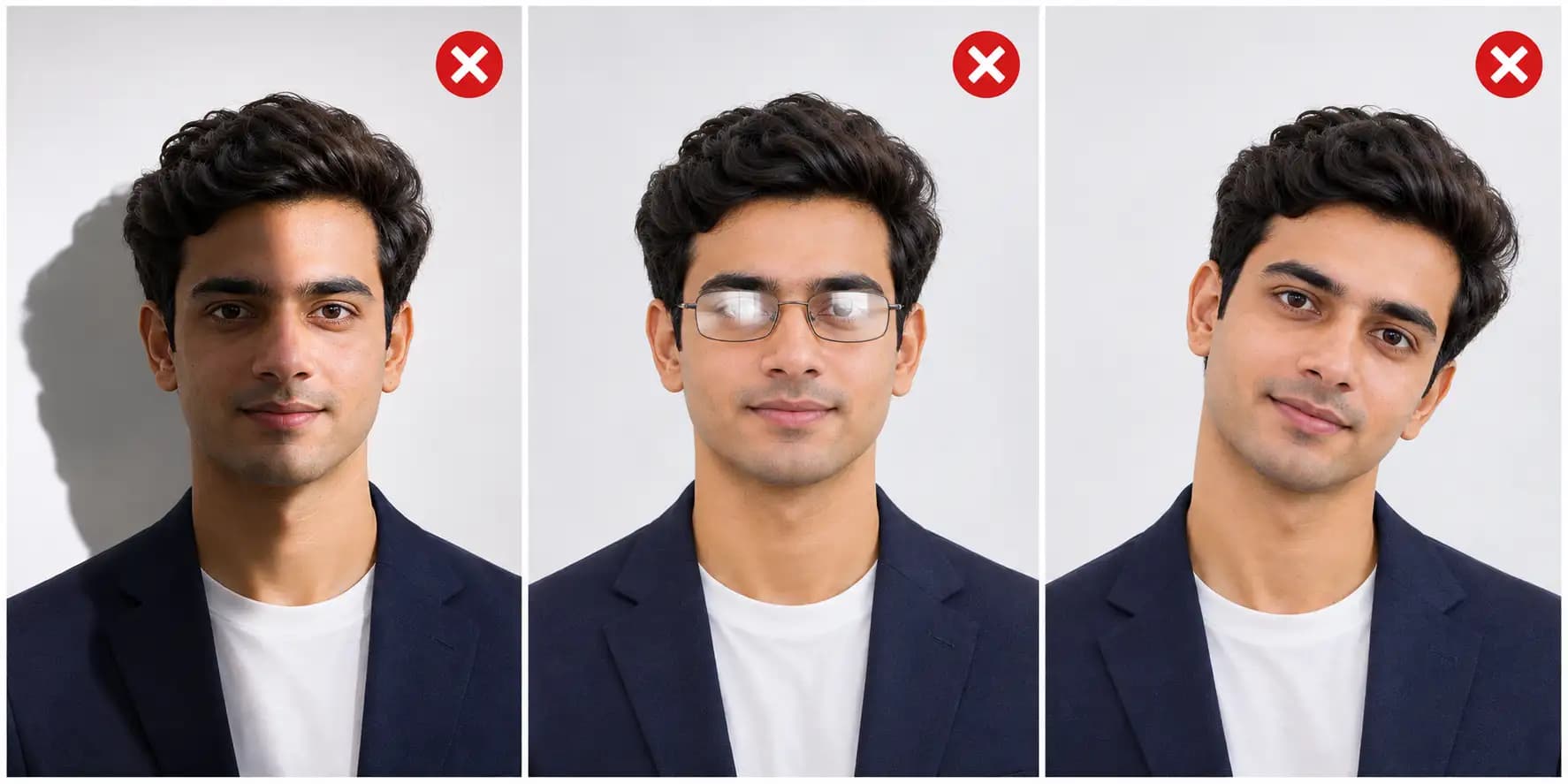
Passport photo converter for different countries
A converter is only as accurate as the rules behind the country you select. Use these summaries as a guide and confirm them on the official pages listed below, because portals and notices change.
How to convert a photo to US passport size (2×2 inches)
For US visa and Diversity Visa photos, the State Department gives a printed size of 2 × 2 inches (51 × 51 mm) and a square 600 × 600 pixel digital image. The photo must be in colour, taken within the last 6 months, in front of a plain white or off-white background, in full-face view, with a neutral expression and both eyes open. Glasses are no longer allowed in new visa photos except in rare medical cases, and head coverings are only allowed when worn daily for a religious purpose with the full face visible. For a US passport, follow the State Department's passport photo page. It asks for one colour photo taken in the last 6 months, a plain white or off-white background free of shadows, textures or objects, and an original, unedited photo.
How to convert a photo to UK passport photo size
The UK has separate rules for digital and printed photos. A digital photo must be at least 600 pixels wide and 750 pixels tall, 50 KB to 10 MB, in colour, clear and in focus, unaltered, and taken in the last month against a plain light-coloured background. A printed photo must be 45 mm high by 35 mm wide, with the image from the crown of your head to your chin between 29 mm and 34 mm high, in colour on plain white photographic paper with no border, against a plain cream or light grey background. You must face forwards with a plain expression and your mouth closed, with your eyes open and visible, no hair in front of your eyes and no shadows on your face or behind you. Do not wear glasses unless you have to. Head coverings are allowed only for religious or medical reasons. You need a new photo each time you get a new passport, even if your appearance has not changed.
How to convert a photo to ICAO standard Indian passport size
The Passport Seva guidelines ask for a colour photo of 630 × 810 pixels with a white background and a face that takes up 80–85% of the photograph. Photos should be unaltered by computer software, and the Embassy of India in Berne gives a maximum file size of 250 KB. Take the photo from about 1.5 metres with uniform lighting, a full-face front view and no glasses, to avoid reflections. See our guide to the ICAO photo error if the portal rejects your photo.
How to convert a photo to international passport photo standards
Most countries build their rules on the ICAO standard in Doc 9303, and then add their own size, background and file rules. That is why a photo converted for one country is rarely valid for another. Convert a separate photo for each country and document.
How to convert photo to passport size: step-by-step
- Upload your photo. Select a clear portrait from your phone or computer.
- Choose your country. Select the country whose passport photo requirements you need.
- Adjust the photo. Crop, resize and align your face according to the required specification.
- Check photo requirements. Verify the background, head position, dimensions and image quality.
- Download your photo. Save the converted passport photo in the required format.
Official sources
These rules were last checked on 19 November 2026. Portals and notices change, so check the instructions on your own application page. This site is independent and is not affiliated with any government, passport office or embassy.
- GOV.UK: Get a passport photo (digital and printed photos)
- GOV.UK: Get a passport photo, printable version of the whole guide
- US Department of State: Photo Requirements for US visas
- US Department of State, Travel.State.Gov: Passport Photos (U.S. Passports, Passport Application Help), last updated 24 March 2026
- Passport Seva: Guidelines for ICAO Compliant Photographs for Passport Applications
- Embassy of India, Berne: Notice regarding ICAO photo requirements
- ICAO: Doc 9303, Machine Readable Travel Documents
Frequently Asked Questions
Everything you need to know about official Convert Photo to Passport Size Online – Free Passport Photo Converter requirements and specifications.
How can I convert a photo to passport size online?
Upload a clear portrait, choose your country, crop and resize it to that country's specification, check the requirements, then download it. The printed or pixel size depends on the country and document.
Can I convert my picture to passport size for free?
Yes. This converter is free to use for preparing your photo. The US Department of State also offers a free tool that crops a visa photo to a 600 × 600 pixel square, though it only crops and does not check quality.
How do I convert a photo to 2×2 inches?
Crop the photo to a square with equal height and width, with your head centred, then resize it to the size your application asks for. A 2 × 2 inch photo is 51 × 51 mm. For the US Diversity Visa online entry the digital image is a 600 × 600 pixel JPEG of 240 kB or smaller. For US passports, check the State Department's passport photo page for the passport size.
Can I convert a normal selfie into a passport photo?
It is better to have someone else take the photo. The UK says you need someone to help you take a photo on your own device, and the US Department of State says low-quality phone photos are not acceptable for visa photos. A selfie taken at arm's length is likely to be too close, tilted or poorly lit.
How do I resize a photo to passport size without losing quality?
Use the original full-resolution photo, crop instead of stretching, and do not enlarge a small image. Keep the file within the limit your application states.
Can I change my photo background to white?
It depends on the country. The UK says photos must be unaltered by computer software, and the US says to submit the original, unedited photo. The Embassy of India in Berne allows an editing tool to make the background uniform, preferably white, when you cannot visit a studio. The safest fix is to retake the photo in front of a plain white wall.
What is the correct pixel size for a passport photo?
It varies. India asks for 630 × 810 pixels. The UK asks for at least 600 pixels wide and 750 pixels tall. The US Diversity Visa online entry asks for 600 × 600 pixels. For US passports, see the State Department's passport photo page.
Can I convert a photo to US passport size online?
Yes, you can crop and resize a photo online, then check it against the State Department's rules. For a visa or Diversity Visa photo the size is 2 × 2 inches or 600 × 600 pixels. For a US passport, use the size on the State Department's passport photo page.
Is a passport photo converter suitable for all countries?
No. Each country sets its own size, background, face size and file rules, so choose the right country and document before you convert. A converter helps you meet the rules, but only the issuing authority decides whether your photo is accepted.
Can I convert a passport photo using my mobile phone?
Yes. You can upload a photo from your phone and convert it in a browser. For the best result, have someone else take the original photo in good light against a plain background.
Convert your photo to passport size
Convert and check your photo against your country's rules before you apply. Only the issuing authority decides whether a photo is accepted.
Convert My Photo